🌟 My Microbit Projects 🌟
Projects Table of Contents
What is Microbit?
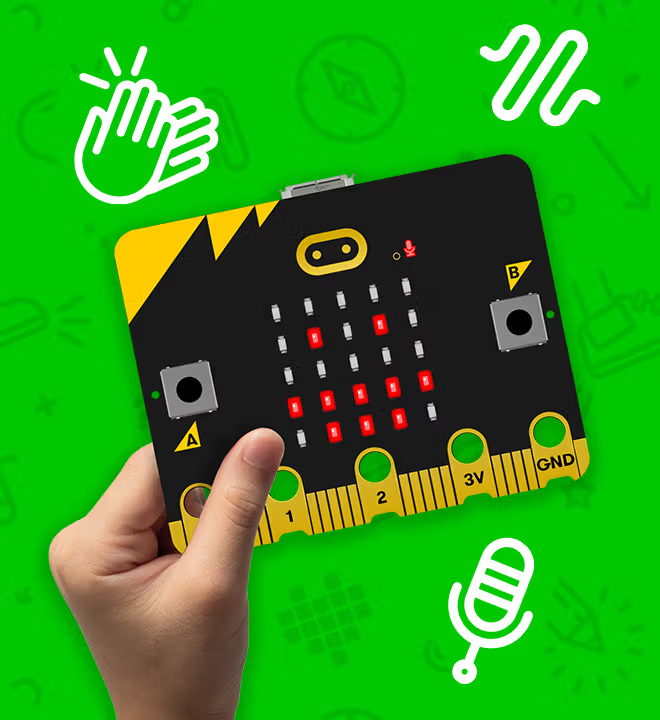
Microbit, also known as Microsoft MakeCode: Microbit, is a pocket-sized, programmable physical device originally developed by the BBC to promote digital education. Microsoft offers a wide range of MakeCode programming environments, but in high school , the course we were offered focused specifically on Microbit instead of other platforms like Arcade or Minecraft. This made Microbit one of my earliest introductions to hardware and coding. It features built-in components like an LED matrix, buttons, sensors, and a buzzer — all of which we learned to control using block-based programming similar to Scratch. The platform also supports text-based languages like JavaScript and Python, allowing students to gradually transition into more advanced coding as they progress. Through hands-on projects, I learned how to make interactive systems that combine both software logic and physical hardware — something that sparked my long-lasting interest in computing and design.
Due to the inactivity of the account, my microbit account has been deleted, however I was still able to retrieve some microbit .hex files from my high school laptop, thus I have created a new account and uploaded the files to create a new repository. These are the links that will lead to that original project i was working on in high school. Enjoy the showcase!
Rock Paper Scissors!
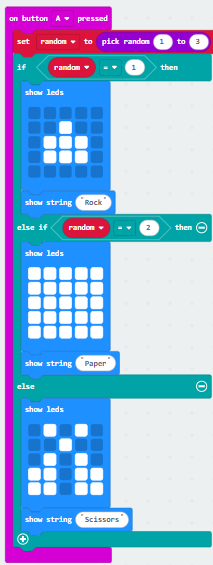
In this project, you can play Rock Paper Scissors with Microbit! Microbit will randomly choose between Rock, Paper or Scissors to play against you, all you have to do, is hold up either Rock, Paper or Scissors before pressing the "A" Button to trigger Microbit's response. Can you can beat the amazing Microbit?
Score Keeper
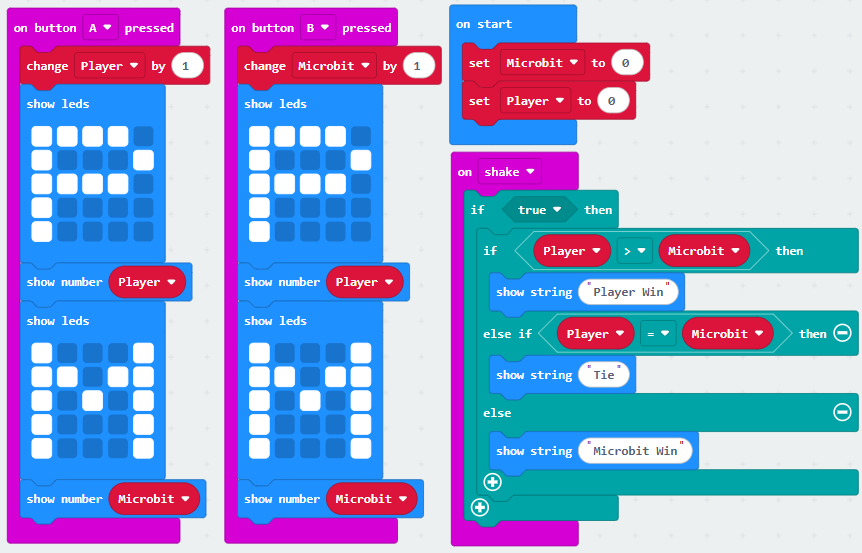
Oh? Got addicted with competing against microbit? Worry you not! Here's a score keeper to track you and Microbit's scores! P stands for "Player" (that's you!) and M stands for "Microbit" (your mortal enemy). Press the "A" Button (left) will increase 1 point to Player's Score! Press the "B" Button (right) when Microbit wins, to give it one point. Want to check the score? Shake the microbit by moving your mouse around fast! Or just click on the "Shake" button. Microbit will either print the string "Player Win" (if you win), "Microbit Win" (if Microbit wins) or "Tie" (if you both tie!) May the best player win, don't get cold feet!
Bullseye
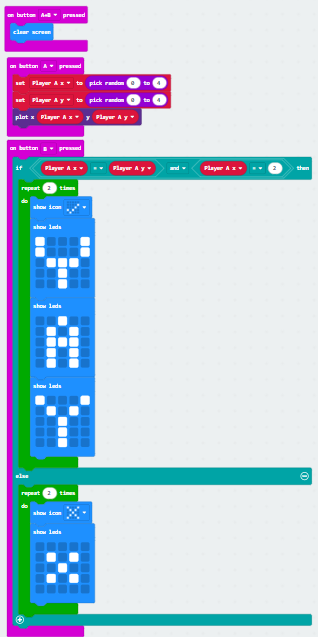
Want to test your aim? Try this Bullseye game! Press the "A" button repeatedly many times until the MIDDLE dot lights up red, then quickly Press the "B" button to secure your win! A celebratory message will be shown... However, if you Press the "B" button even if you did not hit the middle, Microbit will deny your win! Press "A+B" to Restart the game! Be careful, even if you had already scored the Bullseye, if you click the "A" button too many times, Microbit will still deny your win! Good luck cowboy!
Faces :)) >:00 :D
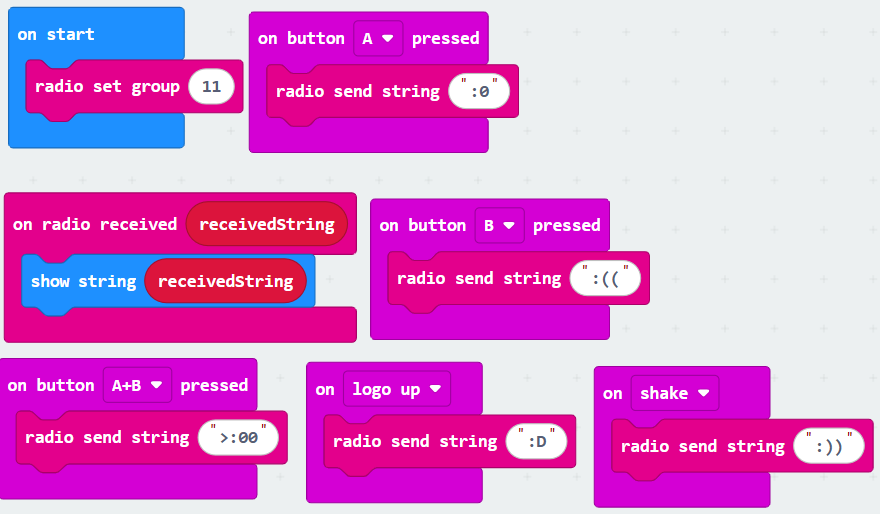
Want Microbit to make faces? Now you can! In this project, you can even send faces to another
microbit like radio signals!
Press the "A" button to send a Shocked face ":O"
Press the "B" button to send a Sad face ":("
Press the "A+B" button to send an Angry face ">:00"
Press the "Shake" button to send a Happy face ":))"
Tilt the microbit up to send an Excited face ":D"
Pressing these buttons will send faces to the other microbit! Have fun!